Product & branding for S.A.G.E

Helping Farmers Grow when and where it matters Most to them.

Industry

Agriculture

Project

Capstone

Capstone

Tools

Figma, Adobe Illustrator, Photoshop

Time frame

May- 2024

S.A.G.E. is a tool, IoT-based soil monitoring system designed to help farmers and gardeners track soil conditions in real time through a mobile app and embedded device interface. It stands with the vision of helping farmers know the levels of minerals and determine the quality of their soil. In return famers get better products and can foresee with stats of how the environments effects their agriculture.

Visit Website

Objectives

Design a user-friendly, IoT-based system that enables users to monitor soil conditions in real time, interpret data easily, and make faster, informed decisions—without relying on expensive lab testing.
Role

As the UX/UI designer and Visual designer I focused on shaping the user experience, interface design, and product structure, ensuring the system was intuitive for non-technical users.


• Designed the mobile application UI/UX

• Defined device interaction flows and system logic

• Created data visualization strategies

• Contributed to product direction and usability decisions

• Supported visual identity direction for branding consistency

As the UX/UI and Visual designer I focused on shaping the user experience, interface design, and product structure, ensuring the system was intuitive for non technical users.


• Designed the mobile application UI/UX

• Defined device interaction flows and system logic

• Created data visualization strategies

• Developed onboarding and connection flows

• Supported visual identity direction for branding consistency

As the UX/UI designer and Visual designer I focused on shaping the user experience, interface design, and product structure, ensuring the system was intuitive for non-technical users. Key Contributions:


• Designed the mobile application UI/UX

• Defined device interaction flows and system logic

• Created data visualization strategies

• Contributed to product direction and usability decisions

• Supported visual identity direction for branding consistency

Design Approach

Design Approach

Design Library

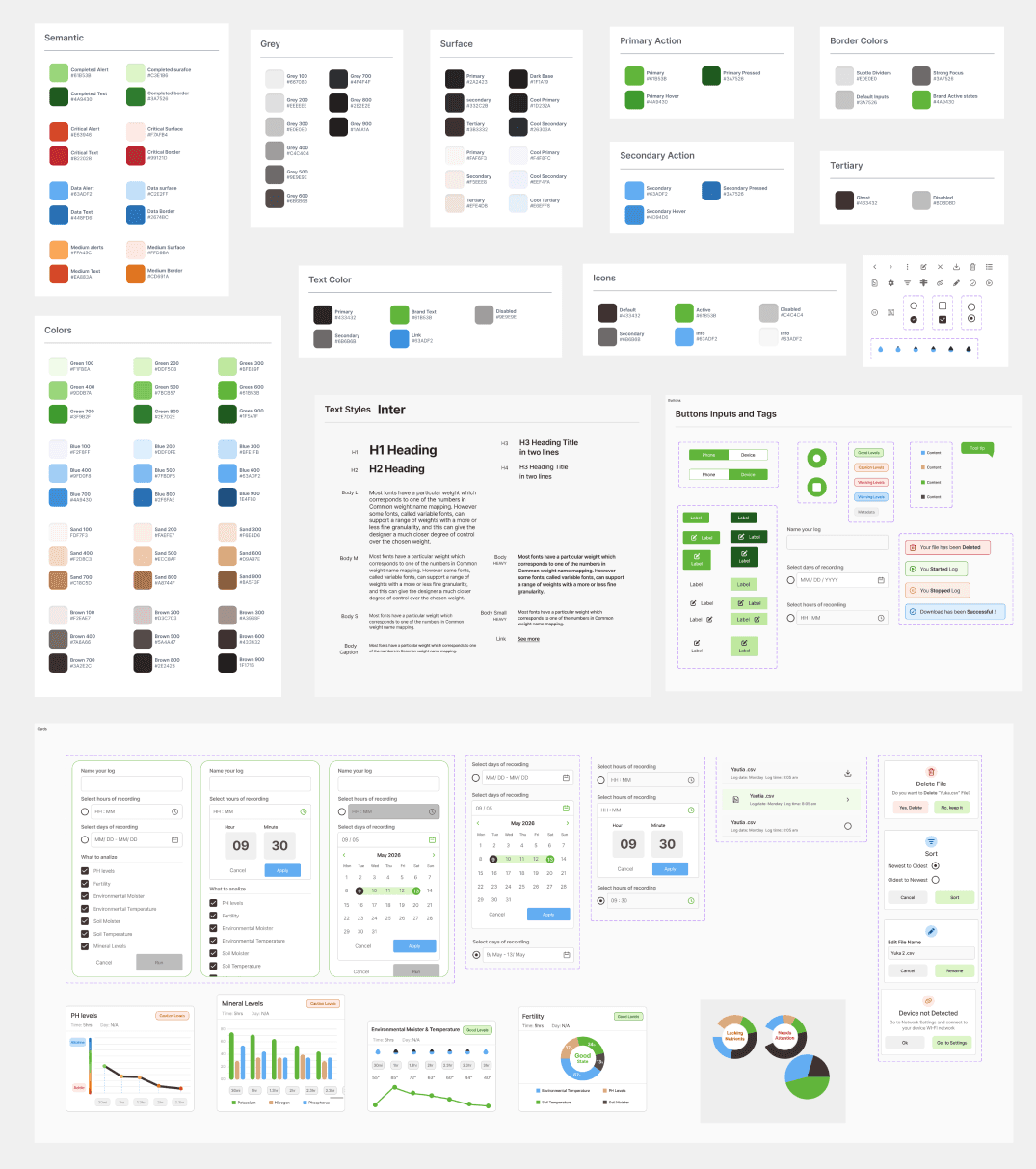
The goal was to transform complex environmental data into something clear, accessible, and easy to act on. I developed the design system to create consistency across the product while making the interface intuitive for users who may not have a technical background.

The system was built around structured data visibility, helping users think more clearly about their land through measurable insights rather than assumptions. I focused on creating a visual language that made information easier to scan, compare, and understand across devices and logs. This included a clear hierarchy of surfaces, semantic colors, action states, typography, and reusable UI components that supported both usability and scalability.

Key design decisions included:

• Customizable device names to match real farming workflows

• Clear graph visualization for soil and environmental metrics

• Consistent UI components for logs, alerts, and sensor data

The goal was to transform complex environmental data into something clear, accessible, and easy to act on. I developed the design system to create consistency across the product while making the interface intuitive for users who may not have a technical background.

The system was built around structured data visibility, helping users think more clearly about their land through measurable insights rather than assumptions. I focused on creating a visual language that made information easier to scan, compare, and understand across devices and logs. This included a clear hierarchy of surfaces, semantic colors, action states, typography, and reusable UI components that supported both usability and scalability.


Key design decisions included:

• Customizable device names to match real farming workflows

• Clear graph visualization for soil and environmental metrics

• Consistent UI components for logs, alerts, and sensor data

Connectivity

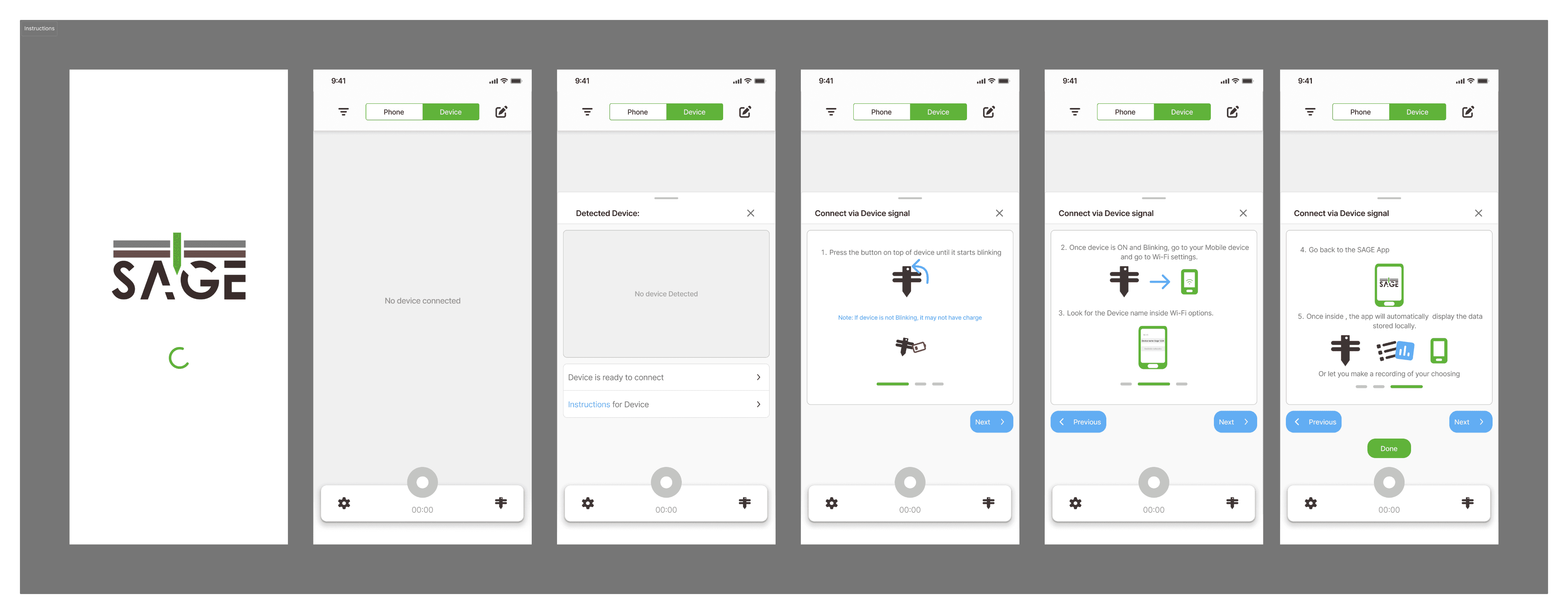
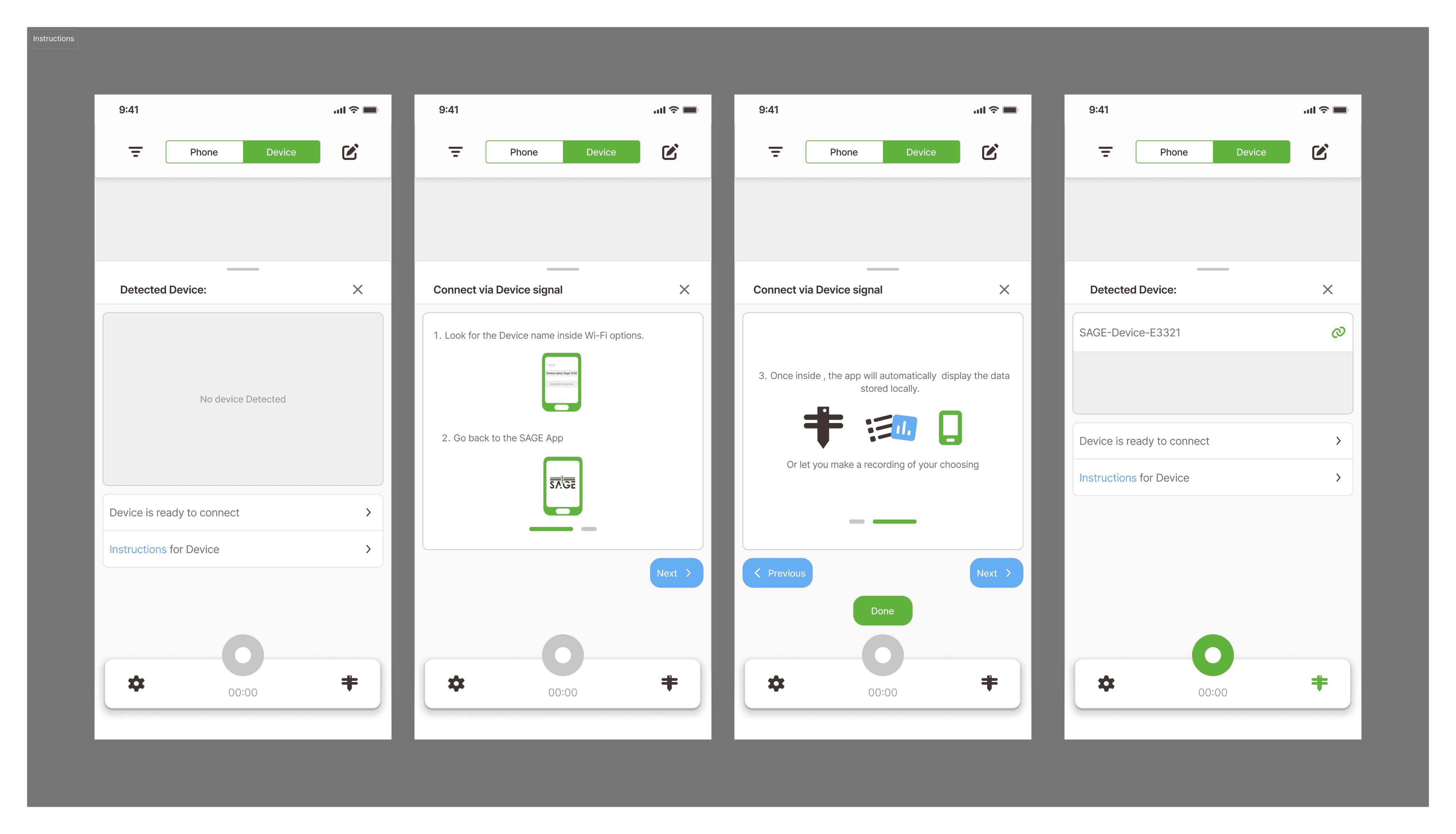
The product is designed for continuous monitoring even when the mobile phone or pc is not near the device. Devices are placed in soil and record data consistently. After initial setup, devices should reconnect automatically when nearby or can manually reconnect them. To support usability across different users and environments, I designed, a step by step onboarding flow with simple illustrations.
File management

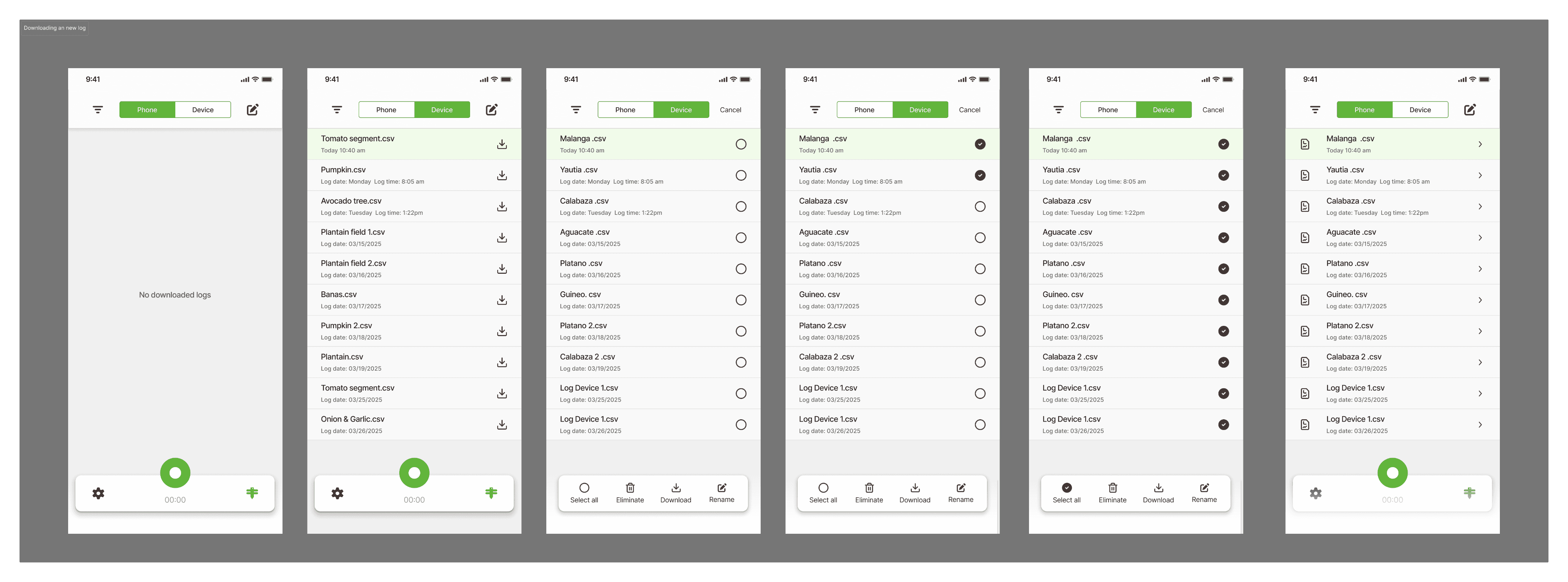
No need to reinvent the wheel and designed the most basic needs for a file managing system based on our teams current needs. For context the log we use in this project digital record of events, actions, or activities within a system, software, or device, captured for analysis, security, and performance tracking. I structured the passed downloaded or detected logs system with a clear hierarchy important preview information such as the file name, date, and recording time.

Creating a log

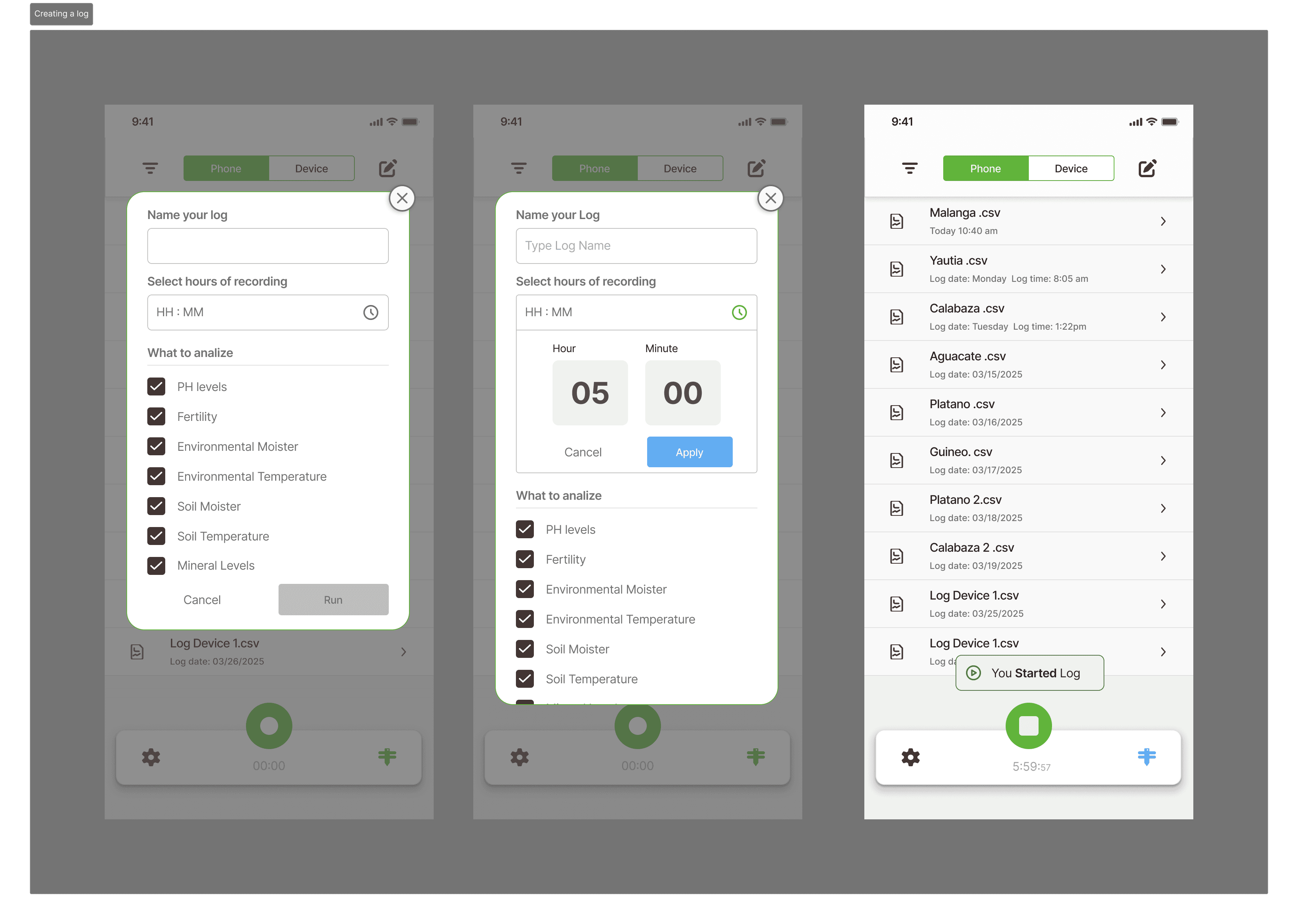
One of my contributions was improving how users create and manage soil data recordings inside the mobile app. At first, the system only had a simple record button that started collecting data immediately. I noticed this could be confusing because users had no control over how it was being recorded, for how long, or how the data would be saved.

When replacing the instant record action with a guided overlay card that appears when the user presses the record icon. This modal lets users name their log, choose how long the device should record, and select which analysis options they want to include such as pH levels, fertility, soil moisture, soil temperature, and environmental conditions. This made the process clearer and helped prevent accidental recordings.
Data Visualization
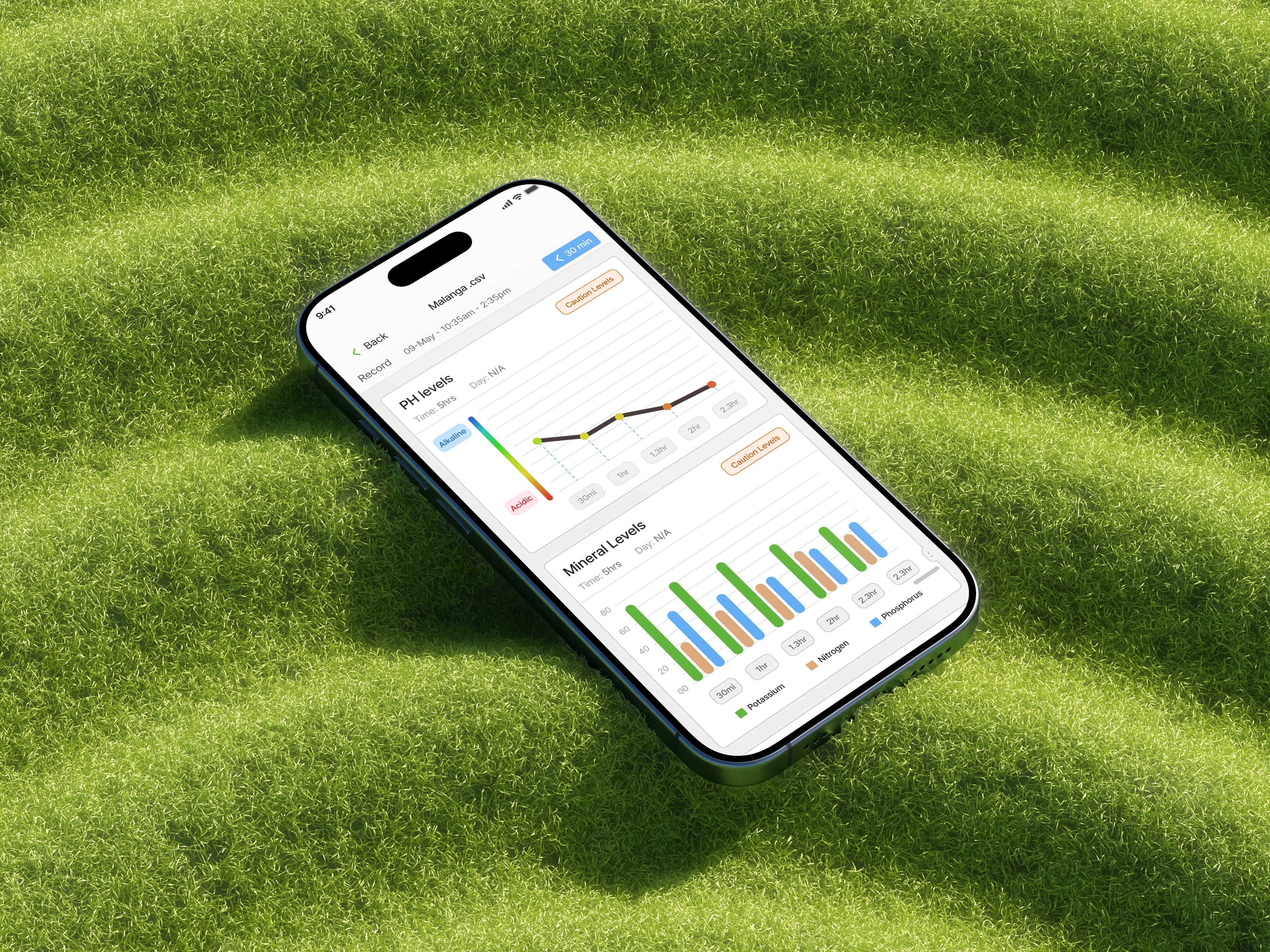
All data decisions were validated with an agricultural expert, ensuring accuracy. The goal was to display: time-based graph and a clear hierarchy between critical vs secondary data. At the time of development, the system focused on six core data types:


• Soil Moisture

• Soil Temperature

• Ambient Humidity

• Ambient Temperature

• Fertility (derived)

• Environmental conditions

All data decisions were validated with an agricultural expert, ensuring accuracy. The goal was to display time-based graph and a clear hierarchy between critical vs secondary data. At the time of development, the system focused on six core data types:


• Soil Moisture

• Soil Temperature

• Ambient Humidity

• Ambient Temperature

• Fertility (derived)

• Environmental conditions

All data decisions were validated with an agricultural expert, ensuring accuracy. The goal was to display: time-based graph and a clear hierarchy between critical vs secondary data. At the time of development, the system focused on six core data types:


• Soil Moisture

• Soil Temperature

• Ambient Humidity

• Ambient Temperature

• Fertility (derived)

• Environmental conditions

Contributions

To strengthen usability and quick recognition:


• Introduced custom log run naming.

• Time management instead of timer

• File management logistics

• Onboarding options based possible user cases

• Focused on clean process to create & track a log.

To strengthen usability and quick recognition:


• Introduced custom log run naming.

• Time management instead of timer

• File management logistics

• Onboarding options based possible user cases

• Focused on clean, process to create and track a log.

To strengthen usability and quick recognition:


• Introduced custom log run naming.

• Time management instead of timer

• File management logistics

• Onboarding options based possible user cases

• Focused on clean process to create & track a log.

Constraints

These constraints directly influenced the projects final outcome around:

• For the devices hardware limitations sensor availability and accuracy during prototyping.

• Small time frame so not all the features where properly implemented to the projects final outcome.

• Limited initial dataset only 6 core data types at launch

• User testing was limited to just 1 device and app connectivity

• Need for low cost implementation

These constraints directly influenced the projects final outcome around:

• For the devices hardware limitations sensor availability and accuracy during prototyping.

• Small time frame so not all the features where properly implemented to the projects final outcome.

• Limited initial dataset only 6 core data types at launch

• User testing was limited to just 1 device and app connectivity

• Need for low cost implementation

Logo & Design

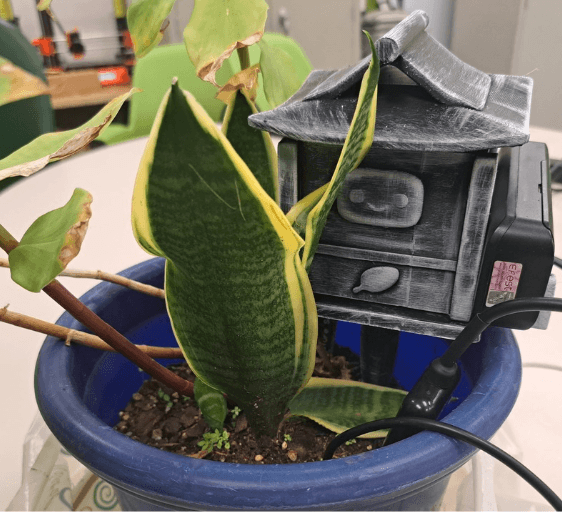
In addition to shaping the product experience, I also designed the visual identity for S.A.G.E., creating a logo that felt both approachable and technology-driven. The client emphasize their desire to include the acronym S.A.G.E., which stands for Soil Analysis & Ground Evaluation, to be the main focus of the brand. Since the physical prototype had not yet been built at the time, there was no direct visual reference for the device itself, which allowed the branding to be more conceptual.

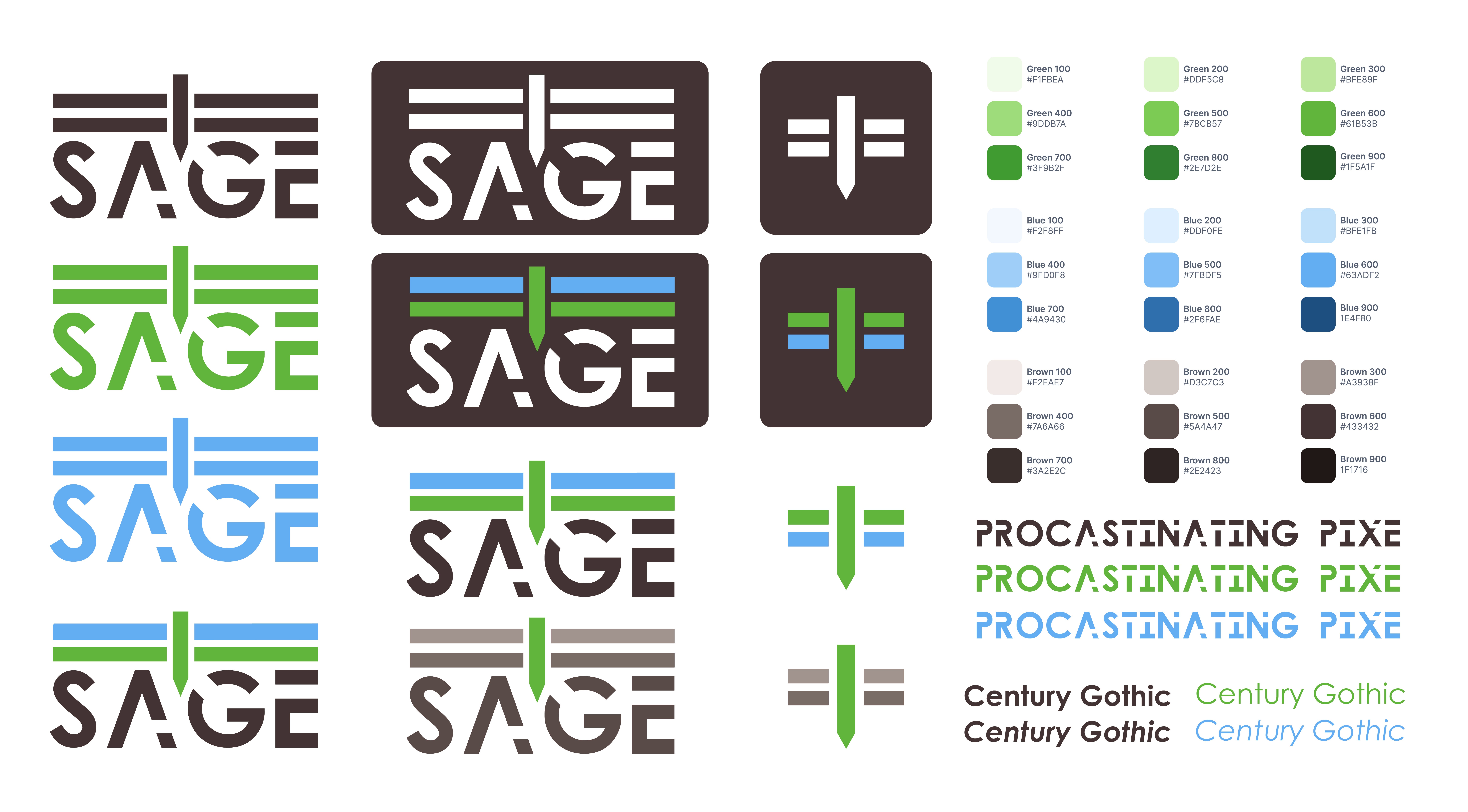
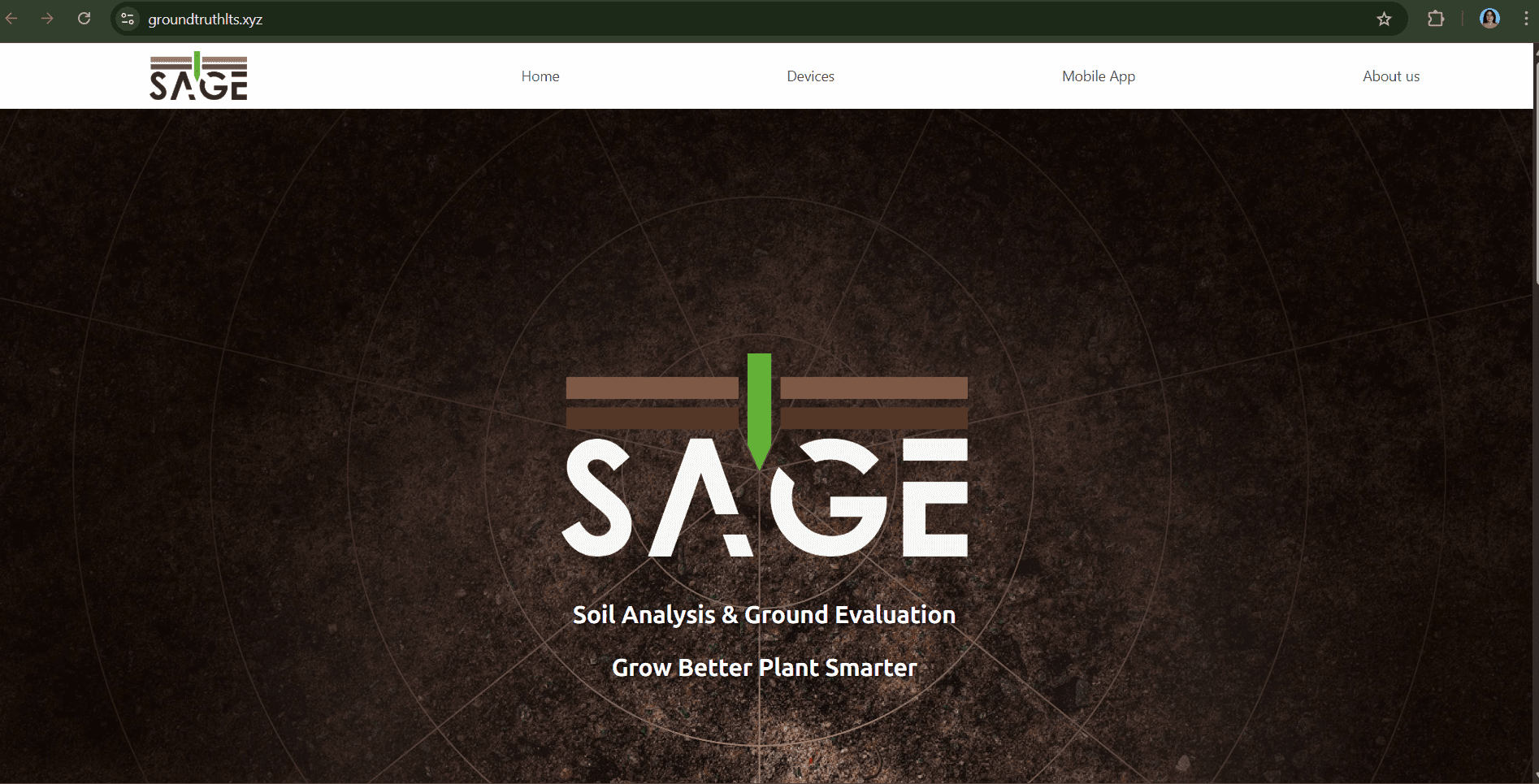
I proposed a clean and minimal logo centered around a vertical stake running through the word “SAGE,” representing the physical soil sensor placed into the ground. The top horizontal elements use blue tones to symbolize the atmosphere, while the green center represents plant growth and the brown typography reflects the soil and earth. This visual connection reinforces the product’s purpose by linking environment, agriculture, and technology into one unified mark.

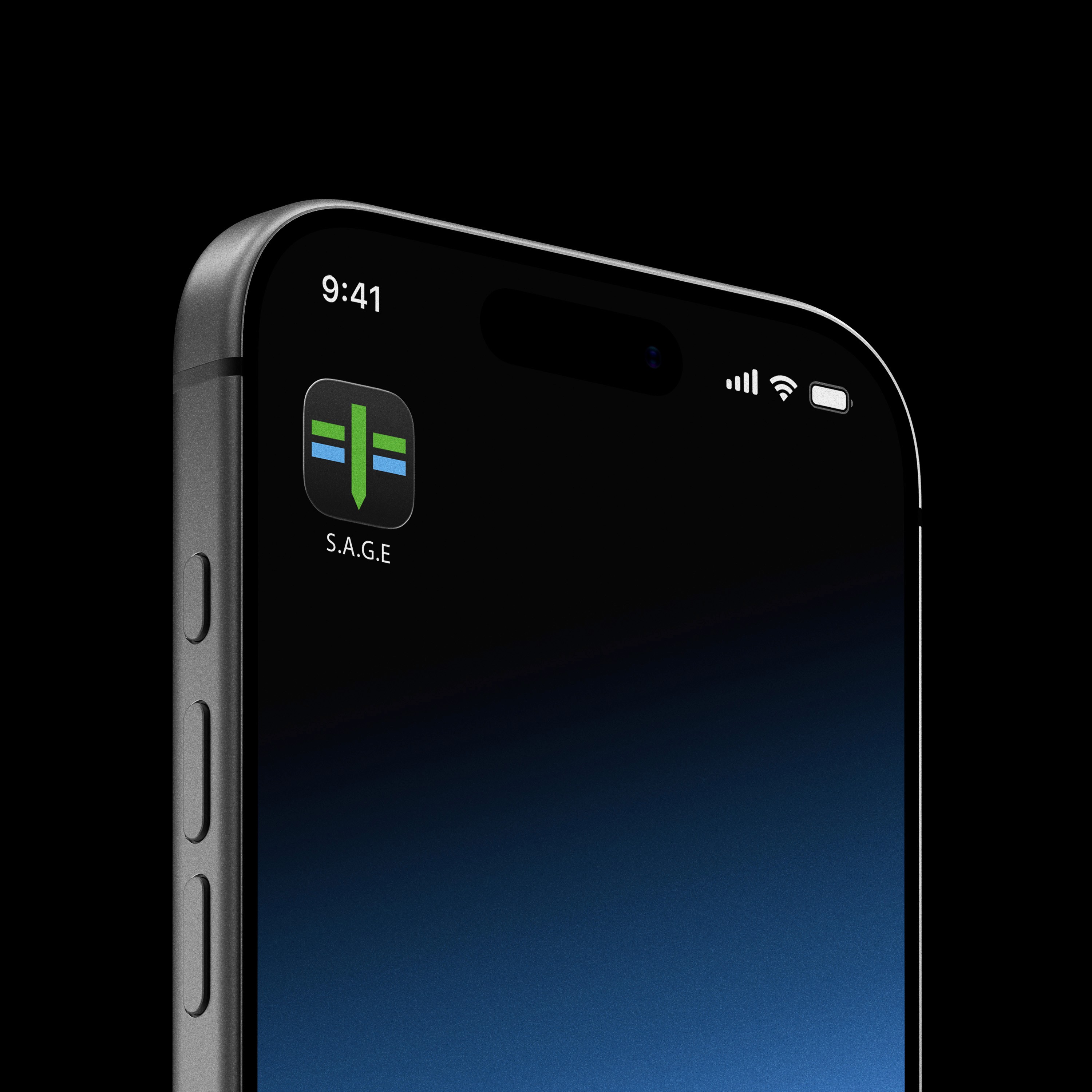
I also designed a simplified favicon version for mobile applications and web platforms, keeping the visual identity compact, recognizable, and scalable across digital touchpoints. This ensured the brand remained consistent while adapting to smaller interface spaces.

In addition to shaping the product experience, I also designed the visual identity for S.A.G.E., creating a logo that felt both approachable and technology driven. The client emphasize their desire to include the acronym S.A.G.E., which stands for Soil Analysis & Ground Evaluation, to be the main focus of the brand. Since the physical prototype had not yet been built at the time, there was no direct visual reference for the device itself, which allowed the branding to be more conceptual.

I proposed a clean and minimal logo centered around a vertical stake running through the word “SAGE,” representing the physical soil sensor placed into the ground. The top horizontal elements use blue tones to symbolize the atmosphere, while the green center represents plant growth and the brown typography reflects the soil and earth. This visual connection reinforces the product’s purpose by linking environment, agriculture, and technology into one unified mark.

I also designed a simplified favicon version for mobile applications and web platforms, keeping the visual identity compact, recognizable, and scalable across digital touchpoints. This ensured the brand remained consistent while adapting to smaller interface spaces.

  • First prototype

  • First prototype

  • Logo Variants

  • Logo Variants

  • Generated Mock up

  • Generated Mock up

  • Final Logo

  • Final Logo

  • Webcite

  • Webcite

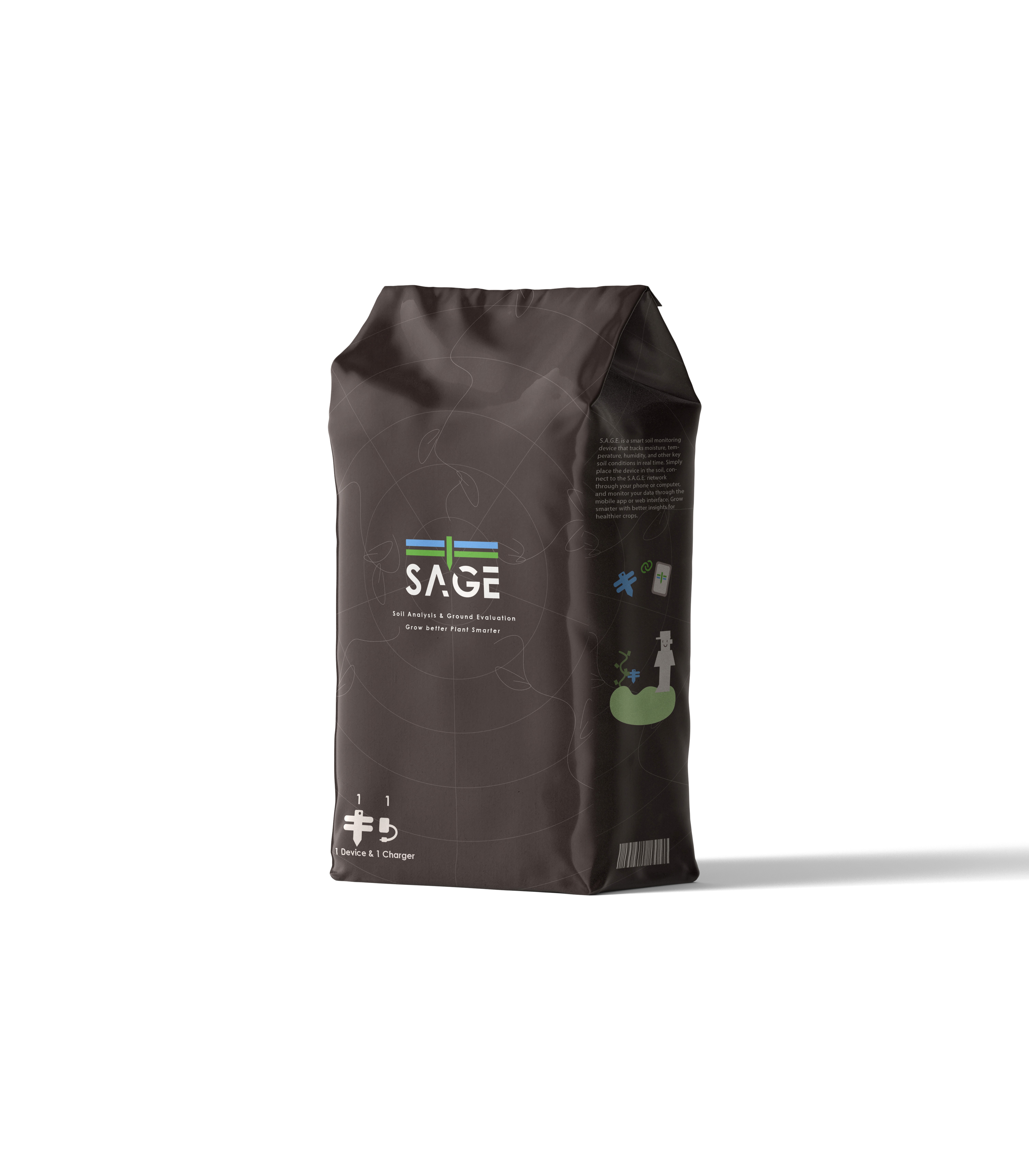
  • Product Packaging Mockup

  • Product Packaging Mockup

Moving Forward

Future opportunities for the product include:

Integration of additional sensors

Predictive analytics and machine learning insights

Smart recommendations based on environmental patterns

Expanded customization and scalability of device networks

Enhanced mobile experience and performance

Devices can be grouped by crop type or location

Future opportunities for the product include:

Integration of additional sensors

Predictive analytics and machine learning insights

Smart recommendations based on environmental patterns

Expanded customization and scalability of device networks

Enhanced mobile experience and performance

Devices can be grouped by crop type or location

From a UX perspective, future work would focus on:

Better data storytelling

Improved user onboarding and education

Advanced filtering and comparison between devices

From a UX perspective, future work would focus on:

Better data storytelling

Improved user onboarding and education

Advanced filtering and comparison between devices